All your work.
One account. One Nemi.
Files, docs, sheets, mail, photos, calls and client rooms, built as one calm tool instead of ten subscriptions. Private by design and stored in the EU.
15 GB free, no card needed
You are probably paying for half of these. Ten logins, and one project spread over four places nobody can find on a Monday.
What Nemi costs insteadOne product, not a bundle. Ten tools from ten companies is ten passwords, ten places a file could be and ten ideas of what a share link means. Nemi is one login, one workspace and one way of doing things.
One account
Every app shares the same shell, workspace switcher, share menu and keyboard. Learn Nemi once and you know all of it.
Already connected
Whatever you make in one app is already in the others: one workspace, one search field, one share menu.
Quick where it counts
Uploads go straight from your browser to storage and pick up where they left off. Big files do not wait on a server in the middle.
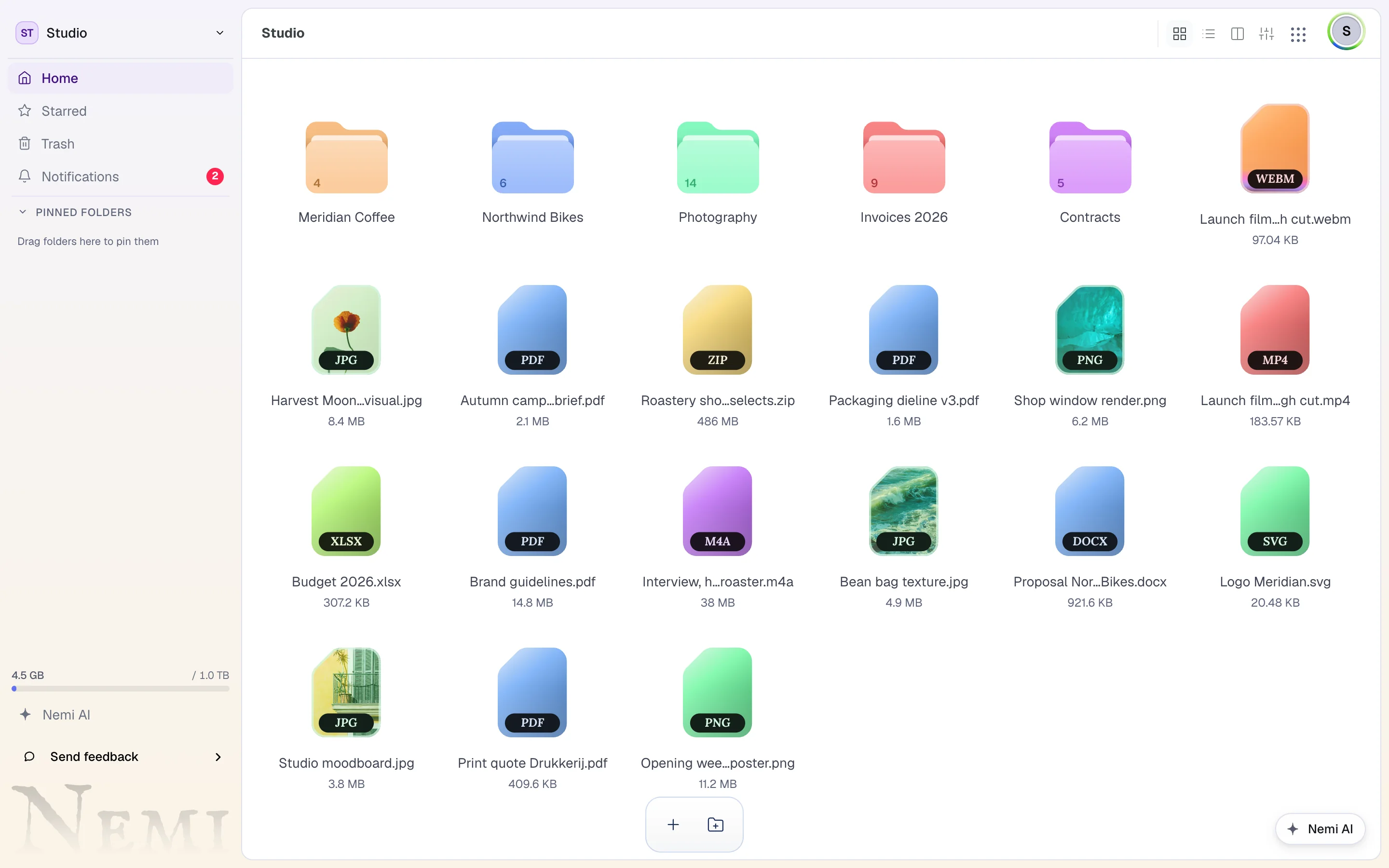
One bar for everything you do to a file.
Select a file and the bar grows the actions that fit it. Each one opens right there, over your files, so sharing or converting never takes you to another page or another tool.
The bar grows with what you select.
With nothing selected it holds Upload and New folder. Select files and their actions slide in; select a folder and it offers Collaborate and an upload link instead; open the trash and it offers Recover and Delete permanently.
Try it: select or deselect a file, then press Share, Convert, Compress or Move. Nothing here leaves your browser.
Studio North › Campaign
Share
Who can open it
Expires
3 selected. Press an action in the bar.
Name the link, add people by email or username, and choose how long it lasts, from 24 hours to never, and who may open it: anyone, people signed in to Nemi, or only the emails and usernames you list.
Open in the demo above
Every format the file can become, grouped by kind, with the ones that take two steps marked. The result downloads, or lands in your workspace next to the original.
Open it in the demo
Pack files into ZIP, TAR, TAR.GZ and more, at a compression level you pick, or switch to Unpack for an archive you were sent.
Open it in the demo
Pick the workspace and the folder, or make a new folder on the spot. Duplicate puts a copy there and leaves the original where it was.
Open it in the demo
Everything you need, already connected.
Each one is a real app, not a tab. They share one workspace, so whatever you make in one is already in all the others.
Files
ExploreSend any file, and know that it arrived.
Nemi AI
ExploreAsk in plain words. Nemi AI does the work.
Docs
ExploreWrite together, live.
Meet
ExploreVideo calls. Guests just open a link.
Convert
Explore100+ formats, right where the file is.


Gallery
ExploreSearch your photos by what is in them, privately.
Rooms
ExploreOne page per client: the files, the list, the chat.
Or just ask for it. Nemi AI does the work, with your permissions and nobody else's.
Nemi AI is an assistant inside the product. Tell it to sort a month of invoices, share a video with a password for a week, or build a sign-up form with the answers in a sheet. Most of what it changes goes back with one press.
Part of the Pro, Max and Business plans. Connecting your own assistant, like Claude or ChatGPT, works on every plan, Free included.
See what Nemi AI can doAsk in plain words
- Found 23 invoices from March
- Created 6 folders under Invoices / March
- Moved 23 files
Private because of how it is built. Not a promise in a policy.
Wherever it can, the work happens on your own device and never reaches us at all. Each of these is how the product is built, and the privacy policy says it in the same detail.
How Nemi is built and hostedThe work happens on your device wherever it can
Photos you add to Gallery are made smaller and searched in your own browser whenever it can. Video in a call goes from browser to browser, encrypted so no server of ours can see it. A transfer between your devices is a direct connection. Vault folders are encrypted before they leave you, under a key we have never held.
Our own engine, our own hardware
Archiving and conversion run on a Rust service on machines we operate in the Netherlands, not on somebody else's API. More than 100 formats, and the file lands back in your workspace rather than in a download folder.
Learn one app and you know them all
Every app shares the same shell, the same workspace switcher, the same share menu and the same keyboard. Learning Nemi once is learning all of it.
We are specific about what we keep
The privacy policy names the columns. It says what leaves your device, what we store, how long, and where a previous version of it was wrong. It is written to be read, not to be survived.
Your name on it, not ours.
Working for clients? On a paid plan they see your logo and your colours, and from Creator up your own domain, on a page that works on the first tap without an account.
Share pages you can put a logo on
Password, expiry and a download limit if the work calls for it.
Approval on the file itself
Review rounds instead of a thread where the feedback is somewhere in the middle.
You can see it landed
Opens and downloads, and with Trace, which page they stopped on.
A room for the whole project
The files, the list of what you still need from them, and the conversation.
Fair questions.
- What is Nemi?
- Nemi is one account for files and file sharing, documents, spreadsheets, whiteboards, forms, a calendar, email, a photo library, video meetings and client rooms. It is made in the Netherlands, stores everything in the EU and is free to start with 15 GB.
- Is Nemi free?
- Yes. The free plan has 15 GB of storage and every app except Mail, with no credit card. Paid plans start at €3.99 a month and add more storage, bigger files, far more file conversion, files that never expire and an email address of your own in Nemi Mail.
- Can Nemi replace Google Workspace, Dropbox or WeTransfer?
- For most freelancers, studios and small teams, yes: storage, sharing, documents, spreadsheets, forms, a calendar, email, video calls and a photo library are one account and one bill. Where another product is genuinely deeper, the comparison pages say so, for example spreadsheets with hundreds of formulas still belong in Google Sheets or Excel.
- Where are my files stored, and who can read them?
- Everything is stored in the EU and encrypted in transit and at rest. For files nobody else should ever be able to open, a Vault folder is end-to-end encrypted in your browser, so not even Nemi can read what is inside.
- How big a file can I send?
- Up to 0.5 GB per file on the free plan and up to 200 GB per file on Business. Every share link can have a password, an expiry date and a download limit, on every plan.
- Does Nemi work with ChatGPT and Claude?
- Yes. Any assistant that supports MCP connectors, Claude and ChatGPT included, can connect to your workspace at https://mcp.nemilab.com and read, write and share for you, on every plan. Nemi AI, the assistant built into Nemi, is part of Pro, Max and Business.
Move in once. Cancel the rest.
Nemi is opening in groups. Put your name down, it takes a minute, and we tell you the moment yours is up.
15 GB free when you are in. No card.