Nemi Files
An app in Nemi
Send any file. Stay in charge of the link.
Files is where everything in Nemi lives, and the easiest way to get a big file to somebody else. Upload it, share a link, and you decide who opens it, for how long, how often, and whether they need a password. The person receiving it needs no account.
15 GB freeNo cardStored in the EU
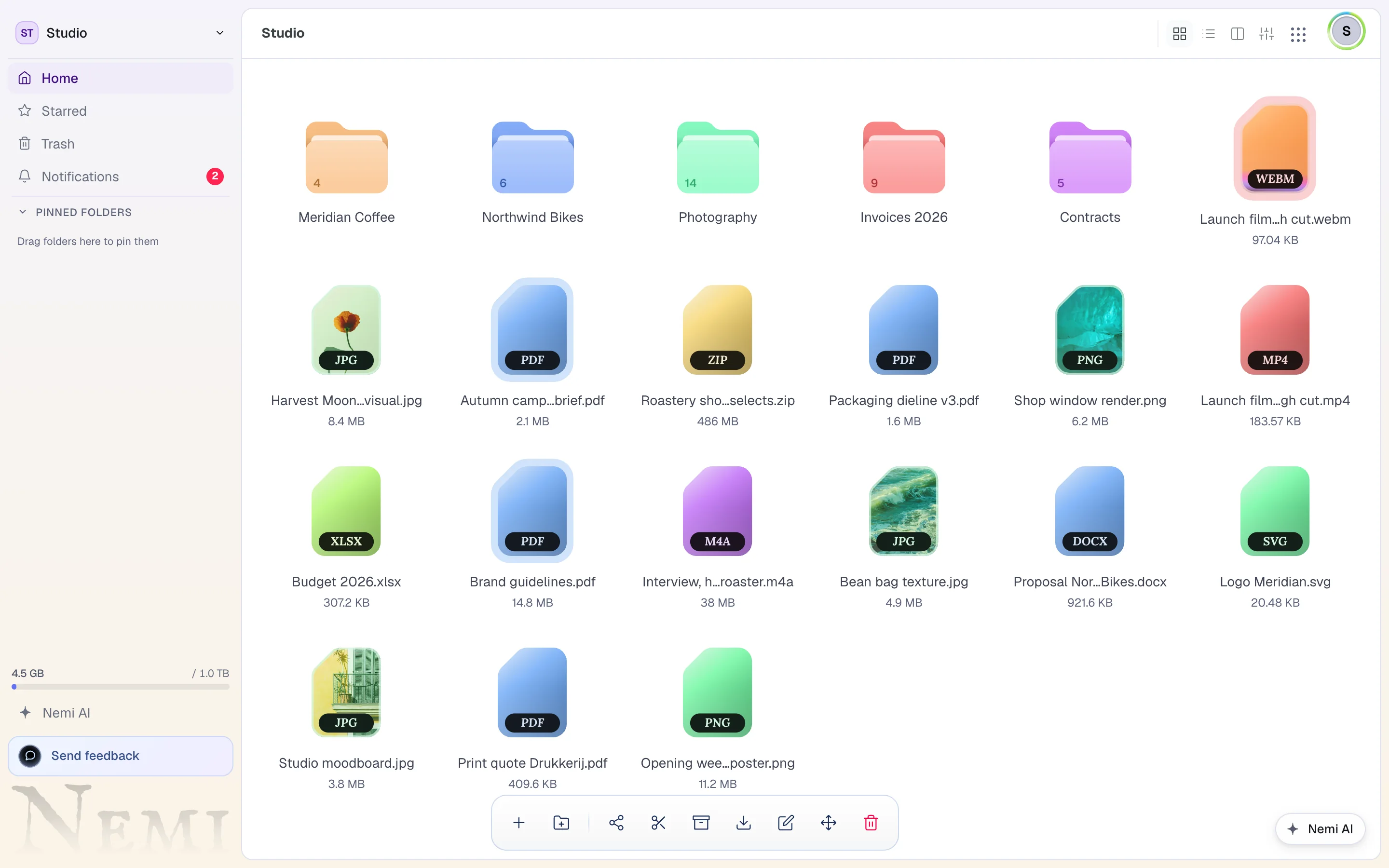
Nemi Files, a real screenshot. The content is demo data.
Store your files, send them with a link, and see when they arrive. Each of these is true of the product today.
A link with terms on it
Add a password, an expiry date or a download limit whenever a file calls for it. On a paid plan the page it opens carries your own logo and colours, so the person downloading sees your name, not ours.
Files up to 200 GB
Uploads go straight from your browser to storage and pick up where they left off if the connection drops. The largest single file grows with your plan, from 500 MB on Free to 200 GB on Business, which is a whole video project in one upload.
Open almost anything without downloading it
Documents, spreadsheets, images, video, audio, code, archives and 3D files open in the browser without downloading them first, and without a plugin. RAW camera files can be converted to JPEG or PNG in place.
Know that it arrived
See when a link was opened and what was downloaded, so you never have to ask whether they got it. Switch on Trace and you also see how long somebody spent on which page. Viewer addresses are never stored raw: what is kept is a salted, shortened hash that cannot follow anybody between links.
Inside Files. The parts you will use every day.
Your name on it, and the terms up front
A share can carry a password, an expiry date and a download limit, and the page states each one before anything is clicked. Above them sits your own workspace name and icon, so the person opening it sees your name rather than ours.
Northwind Co.
shares files with you
A whole video project in one upload
Drop something into the file browser and the bytes travel from your machine straight to storage. Nemi checks the size against your plan before it starts, reads the stored file back afterwards to confirm what landed, and stays out of the way in between. That is how a single file can be 200 GB on the largest plan.
Look at it before you download it
PDFs, documents, spreadsheets, images, video, audio, code, fonts, archives and 3D models open in the browser straight from the share page. Nothing to install, and a large video can be checked without waiting for it to come down first.

What you can stop doing. Files comes with the same account as everything else, so it is never one more sign up.
- WeTransferNemi Files
- DropboxNemi Files
- Google DriveNemi Files
From the blog. How Files was built, and why.
Every postHow to make a video small enough to send
How to make a video smaller for email: work out the bitrate that fits the limit, shrink it with the right settings, or skip the attachment and send a link.
Guides7 min read
How to send large files securely: a practical guide
How to send large files securely: who can open the link, passwords, expiry, download limits and previews, step by step, plus what the recipient sees.
Guides8 min read
Why blocks on a Nemi share page never overlap
A branded download page is one you design once and every client opens. Why two blocks on a Nemi share page never share a cell, and what moves instead.
Design7 min read
It comes with the rest of Nemi. One login, one workspace, one bill.
Every app is part of the same account and the same workspace. These are the ones that sit closest to Files.
Move in once. Cancel the rest.
Nemi is opening in groups. Put your name down once and the whole of Nemi is yours when it is your turn: every app, one account.
15 GB free when you are in. No card.